Elevate Your Designs with a Pastel Gradient Color Palette
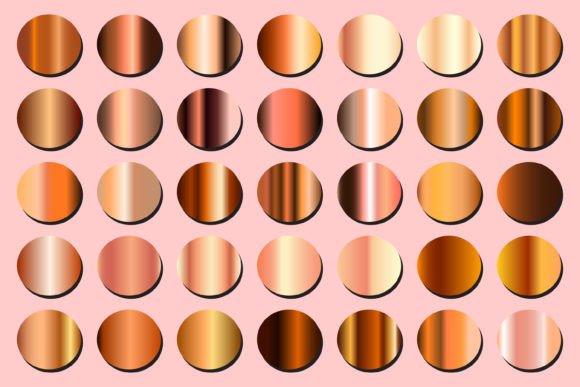
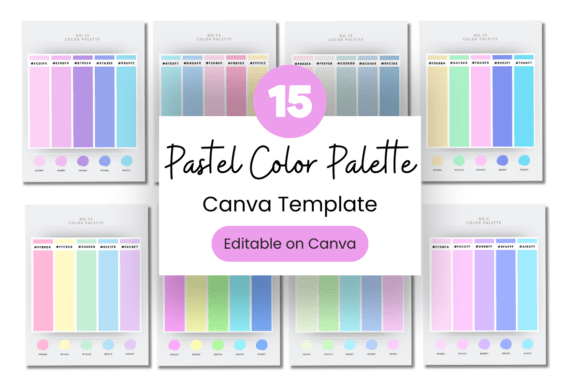
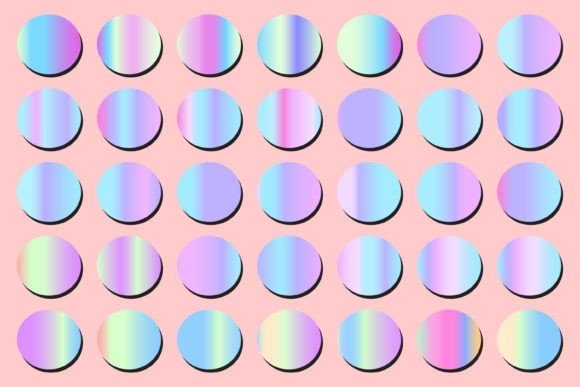
There’s a certain quiet confidence in pastel gradients. They don’t shout for attention; they invite you in with a soft, sophisticated blend of color that feels both modern and timeless. A carefully curated Pastel Gradient Color Palette is more than just a set of colors—it’s a design asset that can instantly elevate the mood and professionalism of your work. Imagine the gentle flow from a blush pink into a soft lavender, or a mint green melting into a serene sky blue. These transitions create depth, movement, and a contemporary aesthetic that resonates across countless applications.
The Visual Language and Versatility of Soft Gradients
What makes a pastel gradient so appealing? Its personality is inherently calming, approachable, and creative. Unlike bold, high-contrast gradients, pastel blends maintain a lightness that ensures readability and avoids visual fatigue. This makes them exceptionally versatile. They work beautifully as subtle backgrounds for web design and social media graphics, providing a gentle canvas that lets typography and content shine. In packaging design, pastel gradients can convey a sense of premium quality, organic origins, or playful elegance, depending on the chosen colors. For brand identity, especially for lifestyle brands, wellness companies, or creative studios, a pastel gradient can become a signature element that communicates sophistication and approachability.
The real-world value of having a pre-built, hand-picked collection like this is immense. Instead of spending hours experimenting with color stops and harmonies, you can apply a professionally balanced gradient directly in your vector editor software. This is where the included Vector EPS File becomes indispensable. Whether you use Adobe Illustrator, Affinity Designer, or CorelDRAW, you can edit these gradients fully, adjusting their direction, opacity, and scale to fit your specific project. It’s a practical shortcut that doesn’t sacrifice creative control.
Practical Applications and Strategic Implementation
So, where exactly does a Pastel Gradient Color Palette fit best? The answer is nearly everywhere, but let’s break down some high-impact uses.
- Digital and Web Projects: Use pastel gradients as hero backgrounds on websites to create an immediate emotional connection. They’re perfect for service-based businesses, e-commerce sites selling artisanal goods, or portfolio sites for creatives. In UI design, subtle gradient buttons or cards can guide user focus without overwhelming the interface.
- Marketing and Social Media: Create eye-catching yet soothing graphics for platforms like Instagram and Pinterest. A pastel gradient backdrop for quotes, product announcements, or story templates feels cohesive and on-trend. It helps build a recognizable visual feed that can enhance audience engagement.
- Print and Brand Collateral: Think beyond the screen. These palettes translate beautifully to business cards, letterheads, brochures, and poster designs. The soft transitions add a tactile, premium feel to printed materials, reinforcing brand consistency and professionalism.
- Publishing and Editorial Design: For magazine layouts, book covers, or digital reports, pastel gradients can serve as elegant chapter dividers, highlight sections, or background elements that add visual interest without distracting from the text.
When integrating these gradients, consider their influence on visual hierarchy. A gradient used in a headline or a key graphic can naturally draw the eye. Pairing a pastel gradient background with a clean, sans serif font often creates a balanced, modern look. For a more luxurious feel, combining it with a refined serif font can work wonders. The key is to test your font pairing against the gradient to ensure the text remains legible and the overall composition feels intentional.
Making the Most of Your Design Assets
Choosing the right palette from the collection involves a bit of self-reflection on your project’s goals. What emotion do you want to evoke? A palette leaning into cool blues and greens feels tranquil and trustworthy, ideal for finance or tech brands aiming for a softer image. Warmer tones of peach and coral suggest creativity, warmth, and vitality, perfect for beauty, fashion, or food industries.
Before finalizing your choice, always test. Place your chosen gradient behind sample text, a mockup of your logo, or a key marketing message. Evaluate its performance across different sizes and mediums. Does it maintain its appeal on a mobile screen and a printed flyer? Does it complement your existing brand identity or the core message of the campaign?
Remember, the included EPS file is a starting point. In Adobe Illustrator, you can use the Gradient Annotator to tweak the blend precisely. In Affinity Designer, the gradient tool offers intuitive control. The goal is to make the asset your own. This collection is designed to save you time and provide a professional foundation, but the real magic happens when you apply your unique creative vision. By leveraging these design assets thoughtfully, you’re not just adding color; you’re adding a layer of strategic sophistication that can significantly impact how your audience perceives and engages with your work.