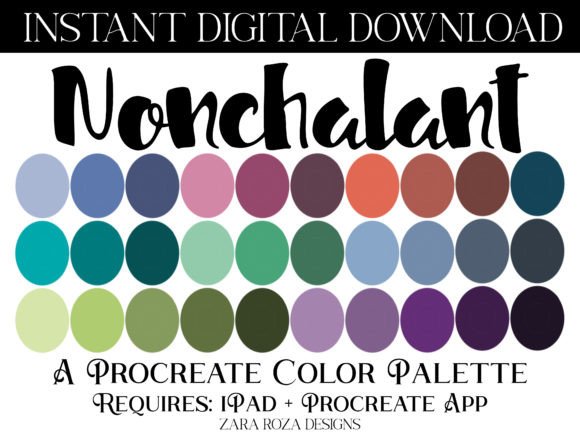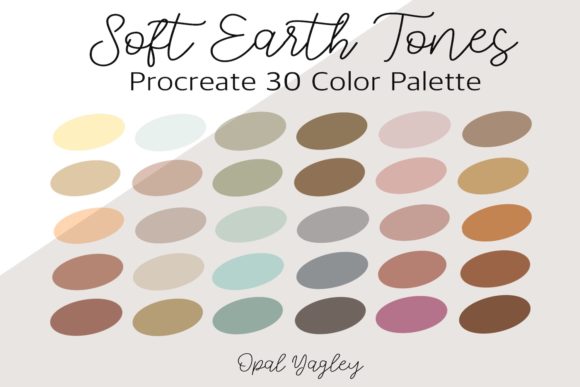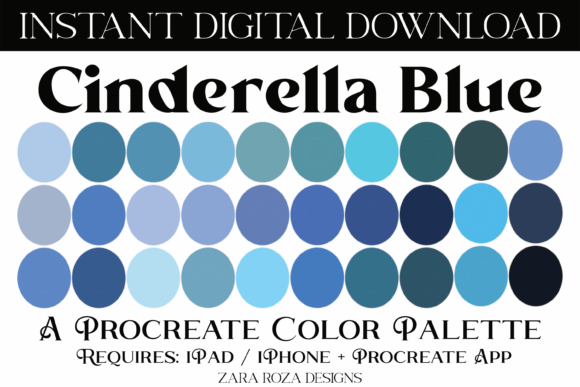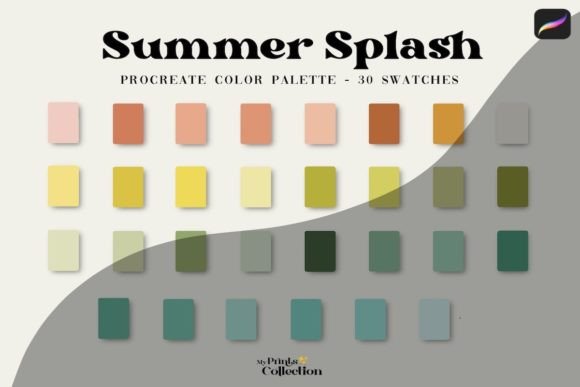
My Pastel-Procreate Color Palette: A Soft, Dreamy Toolkit for iPad Artists
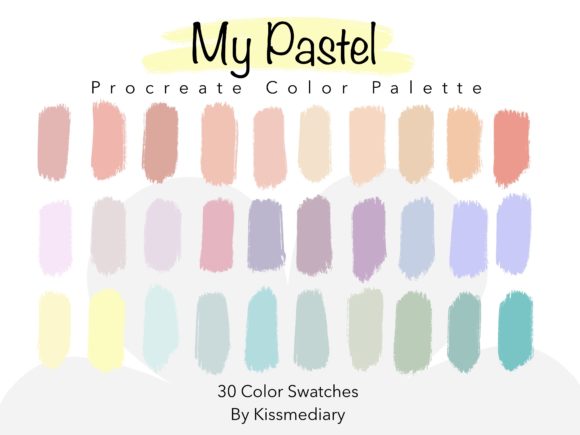
There’s something special about opening a new Procreate file and knowing you have the perfect colors ready to go. No more guessing, no more mixing swatches from scratch. That’s the feeling behind My Pastel-Procreate Color Palette—a curated collection of 30 soft, harmonious hues designed to bring a gentle, cohesive aesthetic to your digital work. If you love the look of modern pastels but struggle to get them right, this palette is built for you.
What Makes This Pastel Palette Stand Out
Pastels are everywhere right now, but not all palettes are created equal. This one was handpicked to include colors that actually work together—no muddy combinations or awkward contrasts. Think soft lavenders that pair beautifully with muted peach, cool mint that complements warm blush, and creamy neutrals that ground everything. The personality of My Pastel-Procreate Color Palette is quiet confidence. It’s not loud or demanding. It whispers. It creates mood without overwhelming your subject matter.
Each of the 30 colors was selected for its versatility. You’ll find warm pastels, cool pastels, and a handful of muted mid-tones that bridge the gap. This isn’t a palette of random pretty colors thrown together. It’s a working toolkit, and the relationships between the swatches matter just as much as the individual hues.
Where This Palette Shines in Real Projects
If you’re an iPad illustrator working on children’s book art, stationery design, or surface patterns, you already know how important color harmony is. My Pastel-Procreate Color Palette takes the guesswork out of building those soft, inviting scenes. The colors are gentle enough for baby shower invitations yet sophisticated enough for boutique branding. That range is what makes it valuable across so many different types of work.
For lettering artists, pastels offer a fresh alternative to bold, saturated palettes. Imagine hand-lettered quotes on a soft lavender background with creamy white text. Or wedding invitation mockups in blush and sage. These are the kinds of projects where this palette feels right at home. The colors don’t compete with your letterforms—they support them.
Brand designers working with lifestyle, wellness, beauty, or fashion clients will find this palette especially useful. Pastels communicate calm, warmth, and approachability. If you’re building a brand identity for a skincare line, a yoga studio, or a boutique bakery, starting with a cohesive pastel palette like this one helps establish that emotional tone from the very first mood board.
Practical Tips for Getting the Most Out of Your Swatches
Once you’ve downloaded the .swatches file, installation is simple. Open Procreate, navigate to your color palettes, and import the file. It will appear as a ready-to-use palette in your swatches panel. From there, you can tap any color to select it, or drag across multiple swatches to compare tones side by side.
A few practical suggestions for working with pastels in your illustrations:
- Build contrast intentionally. Pastels are naturally low-contrast, which can make compositions feel flat if you’re not careful. Use the darker mid-tones in the palette for shadows and grounding elements. Pair the lightest hues with one deeper accent to create visual hierarchy.
- Test on different backgrounds. A pastel palette looks different on white, off-white, and colored backgrounds. Before committing to a color scheme for a full project, drop a few test shapes on your canvas and see how the tones interact with your intended background.
- Layer for depth. Procreate’s blending modes can transform flat pastels into rich, dimensional work. Try layering soft colors at reduced opacity or using Multiply to create natural-looking shadows without introducing muddy grays.
- Don’t use all 30 at once. Just because the palette has 30 colors doesn’t mean you need them all in one piece. Choose a subset of three to five swatches for a single illustration. Cohesion comes from restraint.
How Color Choices Shape Audience Perception
Color is one of the fastest ways to communicate tone in any design project. Pastels, specifically, signal softness, nostalgia, femininity, and approachability—depending on context. When you use My Pastel-Procreate Color Palette in your social media graphics, you’re telling your audience something before they even read a word. The mood is set instantly.
For content creators and bloggers, consistent use of a defined color palette across Instagram posts, Pinterest pins, and website graphics builds visual recognition. People start associating those specific tones with your brand. That’s not theory—it’s something you can see in practice when you scroll through any well-curated feed. The creators who use a limited, intentional palette are the ones whose work feels cohesive and professional.
Small business owners creating their own marketing materials will appreciate how forgiving pastels are. Unlike neon or highly saturated colors that can feel aggressive or dated quickly, soft pastels age well. They feel modern without being trendy in a way that will look outdated next year. That longevity matters when you’re investing time in building design assets you’ll use repeatedly.
Compatibility and Final Thoughts
It’s worth noting that My Pastel-Procreate Color Palette is designed exclusively for the Procreate app on iPad. The .swatches file won’t work in Photoshop, Illustrator, or other design software—this is a purpose-built tool for digital illustrators working in Procreate’s ecosystem. If that’s your workflow, installation takes seconds and you’re ready to create.
Whether you’re illustrating a children’s poster, designing packaging for a small-batch candle brand, lettering a motivational print, or building out a full set of social media graphics, having a reliable color palette removes one variable from your creative process. You can focus on composition, line work, and storytelling instead of spending twenty minutes trying to find the right shade of pink.
That’s the real value here. It’s not about the colors themselves—it’s about the time and creative energy you save by starting with a foundation that already works. Thirty colors, carefully chosen, ready when you are. Happy creating.